Why Most Business Chatbots Underperform
Walk through the customer experience of a typical business chatbot and you will notice the problem immediately.
The bot says something generic. The customer asks a specific question. The bot says something generic again. The customer gives up and goes elsewhere.
The technology is not the problem — the training is. A chatbot is only as good as the information and personality you give it. Most businesses put their chatbot live after 30 minutes of setup, wonder why customers are not impressed, and blame AI.
The good news: training a chatbot to actually perform well is a learnable process. This guide walks you through every step.
What Does "Training" an AI Chatbot Actually Mean?
When we talk about training an AI chatbot for your business, we are not talking about retraining the underlying language model. That is handled by the AI provider.
Business-level chatbot training means:
- Knowledge training: Giving the chatbot accurate information about your products, services, pricing, and policies
- Personality training: Defining the tone, style, and character the chatbot should express
- Behavior training: Setting rules for how the chatbot handles specific situations (escalation, sensitive topics, out-of-scope questions)
Let us go through each in detail.
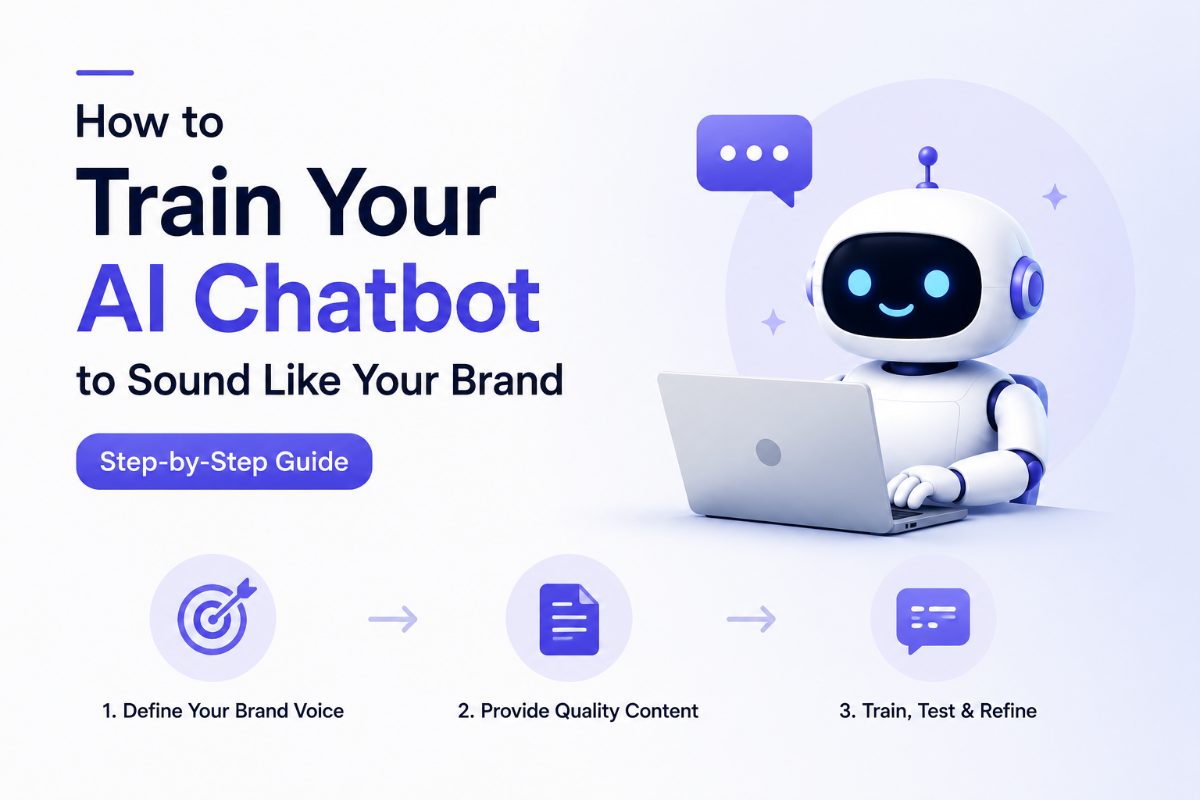
Step 1: Define Your Brand Voice Before Writing a Single Word
This step is skipped by almost every business that later complains their chatbot "sounds robotic."
Your brand voice is the consistent personality your business expresses in all communications. Before configuring your chatbot, write down answers to these questions:
- Formality level: Does your brand speak formally ("Good afternoon, how may I assist you?") or casually ("Hey! What can I help you with?")?
- Emoji and punctuation: Does your brand use exclamation marks freely or keep things measured?
- Technical depth: Do your customers expect expert-level explanations or plain-language summaries?
- Humor: Is light humor appropriate for your brand, or does your audience expect professionalism?
These answers become your chatbot's personality brief — a short paragraph you will use in your system prompt.
Example personality brief:
"You are Pixy, a friendly and knowledgeable assistant for [Your Business]. You communicate in a warm, conversational tone. You are helpful without being pushy. You keep responses concise — no longer than 3-4 sentences unless a detailed explanation is genuinely needed. You never use jargon. If you do not know something, you say so honestly and offer to connect the customer with the team."
Step 2: Audit the Questions Your Customers Actually Ask
Do not guess what your chatbot needs to know. Find out.
Go through your email inbox, your support tickets, your live chat history, and your contact form submissions from the last 6 months. List every question that appears more than once.
Typical categories you will find:
- Pricing questions: "How much does it cost?" "Is there a free plan?" "What is included in the premium plan?"
- Product questions: "What does [feature] do?" "Can it integrate with [tool]?" "Does it work on mobile?"
- Process questions: "How do I get started?" "How long does setup take?" "Do you offer a demo?"
- Policy questions: "What is your refund policy?" "How do I cancel?" "Is my data secure?"
This list is the foundation of your chatbot's knowledge base.
Step 3: Prepare Your Knowledge Content
Now that you know what your chatbot needs to answer, gather the content that will teach it.
Sources to include:
- Your website pages (About, Pricing, Features, FAQ)
- Your terms of service and privacy policy (for policy questions)
- Any help documentation or user guides you have written
- Product or service specification sheets
- Common email responses you have written to customers
Format matters. Clear, well-structured content trains better than walls of text. Use headings. Use bullet points. State facts plainly.
Avoid including:
- Internal documents not meant for customers
- Outdated content that no longer reflects your current offerings
- Contradictory information (two documents saying different things about the same policy)
Step 4: Write Your System Prompt
The system prompt is the most powerful tool you have for shaping how your chatbot behaves. It is a set of instructions the AI follows in every conversation.
A strong system prompt includes:
Identity: Who the bot is and what business it represents.
Personality: The tone and style defined in Step 1.
Scope: What topics the bot should and should not discuss.
Escalation rule: When and how to hand off to a human.
Example system prompt:
You are Maya, the AI assistant for Acme Software. You help potential and existing customers understand our products, pricing, and onboarding process.
>
Tone: Friendly, concise, and professional. No jargon. No filler phrases like "Great question!"
>
Scope: Only answer questions about Acme Software. If someone asks about competitors or unrelated topics, politely redirect.
>
Escalation: If someone asks something you cannot answer confidently, say: "That is a great question for our team — I will connect you with someone who can help." Then offer the contact form or email address.
Step 5: Upload and Test
Once your knowledge content is uploaded and your system prompt is set, it is time to test — and test hard.
Simulate your most difficult customer questions. Not the easy ones. Ask the chatbot questions customers ask when they are confused, frustrated, or evaluating you against a competitor.
Look for:
- Wrong or outdated information
- Vague or unhelpful answers
- Tone that does not match your brand
- Missing knowledge gaps
Common issues and fixes:
| Issue | Fix |
|---|---|
| Bot gives wrong pricing | Add a clear pricing page to your knowledge base |
| Bot is too verbose | Add "Keep responses under 3 sentences" to the system prompt |
| Bot sounds stiff | Adjust formality level in the personality brief |
| Bot cannot answer a common question | Write a clear FAQ entry and add it to the knowledge base |
Step 6: Iterate Based on Real Conversations
Training is not a one-time event. The best chatbots improve continuously.
After going live, review actual conversations regularly. Look for:
- Questions the bot could not answer (knowledge gaps to fill)
- Answers that were technically correct but unhelpful (prompt refinements needed)
- New questions emerging as your product or audience evolves
Set a recurring reminder — once a month is usually enough — to review chatbot performance and make updates.
How Long Does This Take?
Initial setup: 2-4 hours for a thorough training session.
First review: 1-2 weeks after launch, once you have real conversation data.
Ongoing maintenance: 30-60 minutes per month.
This is a very small investment for a tool that is working for your business 24 hours a day.
Getting Started With Pixy AI
Pixy AI is built for exactly this kind of thorough chatbot training. You can upload documents, add custom FAQs, write a system prompt, and customize your chatbot's appearance — all without writing a line of code.
The result is a chatbot that genuinely represents your brand, answers your customers' actual questions, and works hard for your business every hour of every day.
Frequently Asked Questions
How often should I update my chatbot's knowledge?
Any time your products, pricing, or policies change, update your chatbot immediately. Outdated information erodes customer trust.
Can I train the chatbot in multiple languages?
Yes. Most modern AI chatbots understand and respond in dozens of languages. Training content in English usually covers multilingual use well.
What if my chatbot gives a wrong answer?
Identify the gap, add the correct information to your knowledge base, and retest. Never launch a chatbot and walk away — the first few weeks of real conversations are the most valuable training data you have.